


BESV PSA1 Display Settings: Understanding the Legacy HMI
BESV PSA1 display settings depend on which display is actually fitted. The older official handbook documents a particular HMI and control unit; another PSA1 can have different hardware. Identify that layout first, rather than trying an internet button sequence on a display that does not match.
Match the BESV PSA1 display settings to the right HMI
The manufacturer's PSA1 handbook shows the instrument and buttons on printed page 36, then explains operation on pages 39–41. This guide concerns that legacy layout. It is not a modern Japanese small-display tutorial, an app-pairing guide or an instruction to change controller firmware.
Park securely before studying the controls. The manual warns that operating the instrument can distract the rider. Compare the actual button symbols with the handbook diagram, including the page, enter, light and up/down controls. If the arrangement differs, stop and obtain the matching instructions from a BESV dealer.
Choose information and units deliberately
The documented information choices include speed, trip distance, trip time, maximum speed and average speed. The function menu also includes contrast, backlight, a buzzer, distance units, language and information. Select the item you want to change using the procedure shown for this exact control unit.
Changing kilometres to miles changes how information is presented; it is not a method of altering legal assistance limits. After a units change, check both the speed and distance labels. Record existing trip information before choosing a reset option, and do not assume that a trip reset is a repair for inaccurate readings.
Keep assistance selection separate from troubleshooting
Page 40 describes legacy assistance levels from zero to three. Pages 42–43 discuss selecting assistance for riding conditions. Those instructions should not be combined with a different generation's Smart-mode procedure merely because both bicycles carry the PSA1 name. The display should be familiar before entering traffic.
Menu changes cannot establish why assistance cuts out, why a screen flashes or whether a connection is sound. Write down the symptom and the displayed information instead of repeatedly changing settings. A dealer needs a clear description of what happened, not a collection of undocumented adjustments.
FAQ: Reading the older display
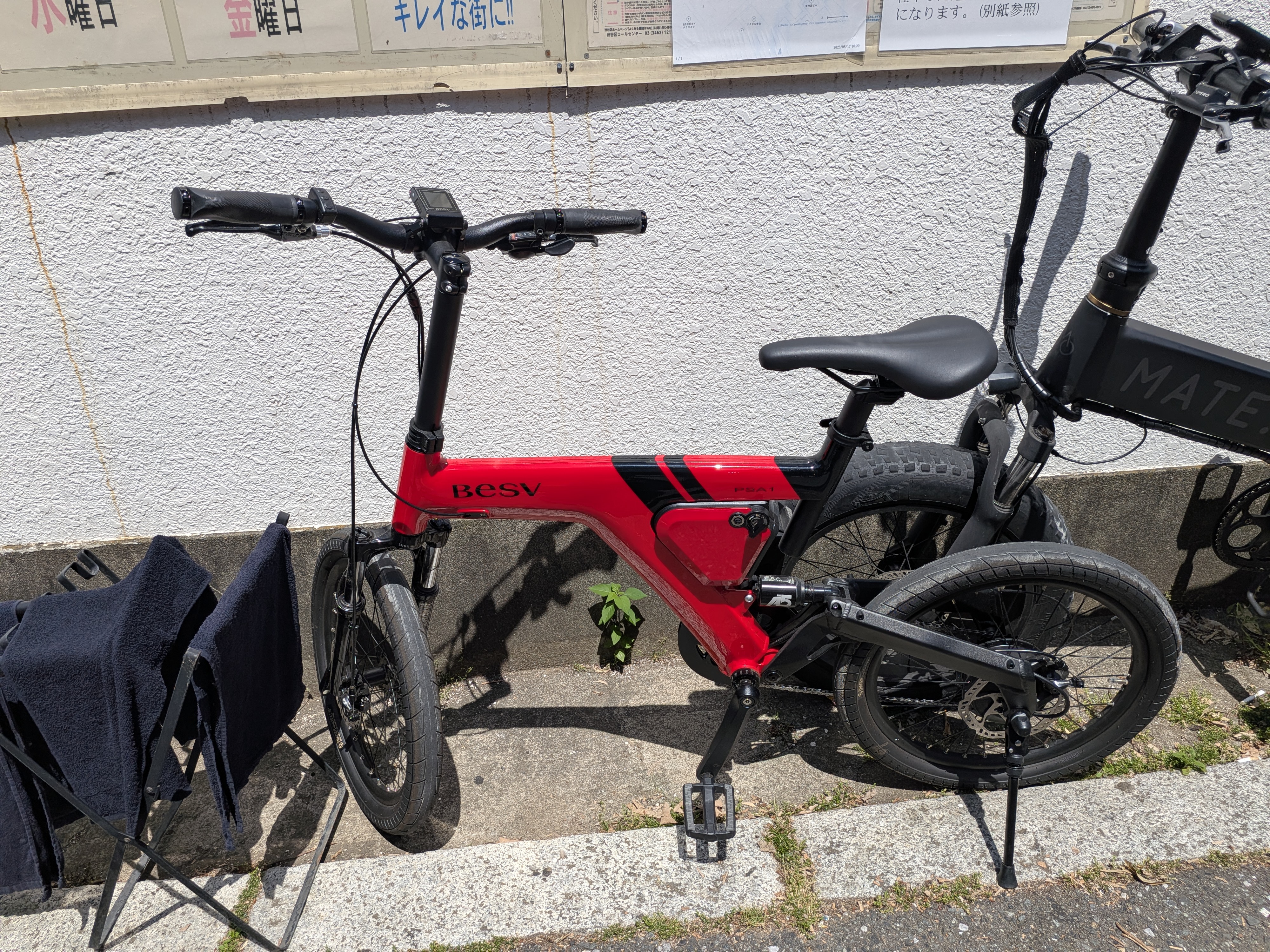
Does the pictured PSA1 show this legacy HMI layout?
No. The photograph shows a real PSA1 with a small centre-mounted display. It does not demonstrate the larger legacy handbook layout or prove which functions that photographed unit supports.
Does every PSA1 have the same menu?
No universal menu is established by these sources. Confirm the display and controller version before following instructions, particularly when the button layout differs from the official diagram.
What if the display will not start at all?
That is a different task from menu operation. Refer to the PSA1 not-turning-on guide for external checks and the point at which dealer service is needed.
The BESV article collection provides wider model context; this tutorial remains limited to the documented older instrument.